Configuring the Network Settings
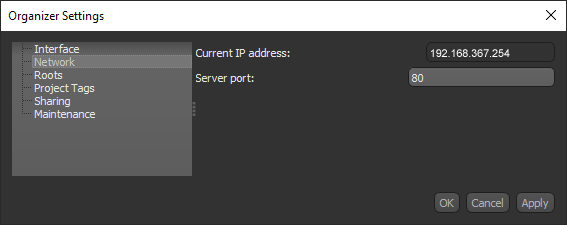
The Network settings, shown below, display the IP address of your system and let you choose a server port. You should note that you will need to provide this information to anyone you plan to share projects with.
Organizer Settings dialog
How to Configure the Network Settings
- Click the Settings button
 on the left sidebar of the Organizer dialog.
The Organizer Settings dialog appears.
- Click Network in the Navigation pane.
The Network panel appears in the dialog.
- Enter a port number in the Server port edit box.
Note The default server port, 80, should be sufficient for most installations.
- Click Apply or OK to save your changes.